Video Editing Virtual Assistant: How Content Creators and Brands Scale Production
Published
Mar 18, 2026
Topic
Hiring Guide
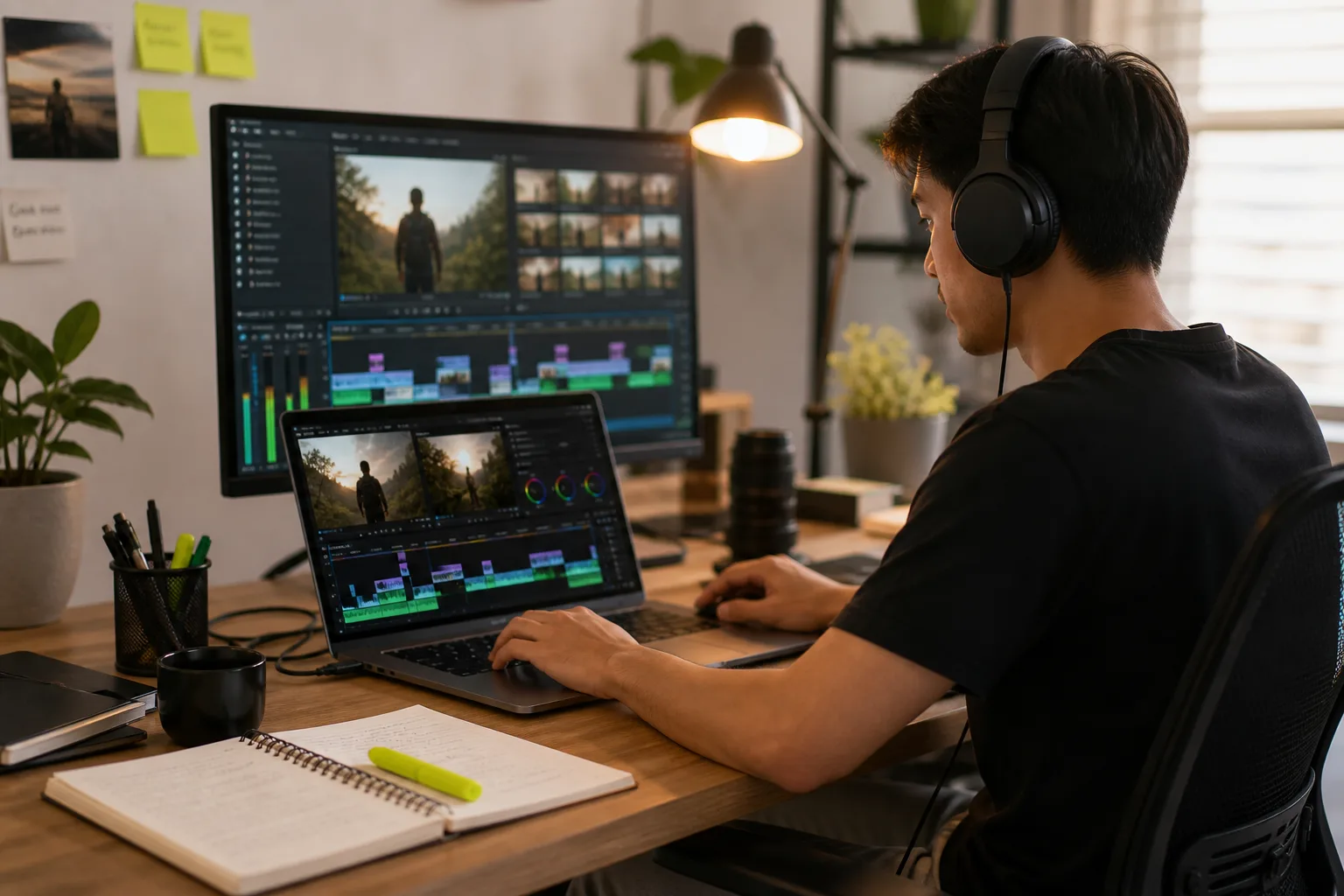
Most content creators and brand teams can generate more raw footage than they can edit. The recording is relatively fast; the editing, captioning, thumbnail creation, and upload workflow takes three to five times as long. This imbalance means good content sits unpublished, publishing frequency drops below what the algorithm rewards, and the creator or marketing team spends the bulk of their week in post-production instead of producing new material. A video editing VA solves this problem by taking full ownership of the post-production workflow.
What a Video Editing VA Handles
A video editing VA receives raw footage and edits it to a finished, platform-ready state: trimming, sequencing, adding music, cutting to length, and applying colour correction where needed. They create platform-specific cuts for YouTube (long-form), Instagram Reels, and TikTok from a single source recording. They add captions using tools like Descript or CapCut's auto-caption feature, create thumbnails in Canva or Photoshop, write titles and descriptions for upload, and in many cases manage the upload and scheduling process entirely. The creator's involvement is reduced to providing raw footage and approving the final cut.
Tools a Video Editing VA Should Know
The most common tools used by video editing VAs are Adobe Premiere Pro for professional-quality editing, CapCut for short-form vertical content, DaVinci Resolve for colour grading and complex edits, Canva for thumbnail creation and graphic overlays, and Descript for transcript-based editing and caption generation. When hiring, confirm which tools your preferred workflow requires and screen specifically for experience with those tools. A VA proficient in CapCut and Canva is well-suited for a Reels and TikTok-focused programme. A YouTube-first strategy may require Premiere Pro competency.
How to Brief a Video Editing VA
A video editing brief should cover five things: the edit style you want (pacing, music tone, colour grade reference), the platform specifications for each deliverable, your brand elements including logo, fonts, and colour palette, the caption and subtitle preferences, and the approval process before a video is uploaded or scheduled. The most effective way to establish style standards is to share three to five existing videos you consider high-quality and annotate what specifically you like about them. A VA working from concrete examples produces closer results on the first pass than one working from abstract descriptions.
Turnaround Expectations
Turnaround time depends on edit complexity and raw footage length. A short-form Reels or TikTok edit from 30 to 60 seconds of footage typically takes two to four hours. A 10-minute YouTube video with graphics, captions, and a thumbnail typically takes six to eight hours. A highly produced long-form video with motion graphics and multiple B-roll sources can take a full day or more. Set clear turnaround expectations in your brief and build in time for one round of revisions. Most experienced video editing VAs hit the agreed turnaround consistently once the style is established after the first two or three edits.
Building a Content Production System
The highest-leverage outcome of hiring a video editing VA is not any individual video — it is the production system that emerges. Once your VA knows your style, has your brand assets, understands your platform mix, and is managing the upload schedule, your publishing cadence becomes automatic. You record on whatever schedule suits you; the rest happens without your involvement. Creators who build this system report being able to double or triple their publishing frequency without any additional time investment in post-production.
What to Look for When Hiring
Ask for an editing portfolio specific to your content type before making a hiring decision. A VA with strong YouTube editing samples may not translate well to short-form vertical content, and vice versa. Look for clean cuts, good audio levelling, and captions that are accurate and well-formatted. Test turnaround time with a paid trial edit before committing to a full engagement. The trial edit reveals both technical competence and responsiveness — two variables that are difficult to assess from a portfolio alone and critical to a productive long-term working relationship. Philippines-based video editing VAs with demonstrated platform-specific portfolios typically cost $10–$20/hour; those proficient in Adobe Premiere Pro and DaVinci Resolve for professional-grade YouTube production run $15–$28/hour.
Frequently Asked Questions About Video Editing Virtual Assistants
Which editing software should a video VA know? For YouTube long-form content: Adobe Premiere Pro or DaVinci Resolve. For short-form vertical content (Reels, TikTok, YouTube Shorts): CapCut is the industry standard. For transcript-based editing and caption generation: Descript. For thumbnails and graphic overlays: Canva or Adobe Photoshop. Confirm the VA is already proficient in your specific tools — switching editing software mid-project creates significant rework. How long does a typical edit take? A 60-second Reels or TikTok edit from raw footage takes 2–4 hours. A 10-minute YouTube video with graphics, captions, and a thumbnail takes 6–8 hours. A highly produced long-form video with motion graphics and multiple B-roll sources can take a full day or more. Set clear turnaround expectations in your brief and build in 24 hours for one revision round. How do I maintain consistent style across edits? Provide three to five reference videos you consider high-quality at onboarding and annotate what you like about each — pacing, colour grade, caption style, transition frequency. This is more effective than a written style guide alone because the VA can see the exact aesthetic rather than interpret abstract descriptions. Do I retain copyright over edited videos? Yes. The finished video belongs to you as the content creator. The VA is providing a service, not transferring any ownership. Confirm this is explicit in the engagement agreement, particularly if you are working through a freelancer marketplace where terms can vary.
Related Services
Video Editing Virtual Assistant
YouTube video editing, short-form clip creation, captions, thumbnails, and upload scheduling. Our video editing VAs take your raw footage and turn it into polished, branded content ready to publish across every platform.
Learn More →Content Management Virtual Assistant
Content calendars, editorial coordination, blog management, CMS updates, and content repurposing. Our content management VAs keep your content operation running consistently — ensuring the right content reaches the right audience on schedule.
Learn More →AI-Augmented Admin Virtual Assistant
Human VAs trained in ChatGPT, Claude, Zapier, and Notion AI. They handle your calendar, inbox, research, and workflow automation — delivering significantly more output than a standard hire at the same cost.
Learn More →